The ULANZI VL120 RGB Video Light is a compact and versatile LED lighting solution designed for photography, videography, and vlogging. It features 120 LED beads, including 84 bi-color and 36 RGB LEDs, offering 360 full-color options and 20 special light effects. With a high Color Rendering Index (CRI) of 95+, it ensures accurate color reproduction. The built-in 3100mAh battery provides extended operation, and its portable design makes it suitable for various shooting environments.

Image 1.1: ULANZI VL120 RGB Video Light and included accessories.
2. Key Features
RGB and Bi-Color LEDs: Equipped with 84 bi-color and 36 RGB LED beads for a total of 120 LEDs, providing a wide range of lighting options.
Full Color Spectrum: Offers 360° full-color adjustment for creative lighting scenarios.
High Brightness: Maximum brightness of 1250 LUX at 0.3 meters, suitable for various lighting needs.
High CRI 95+: Ensures accurate and vibrant color reproduction, close to natural light.
20 Special Light Effects: Includes simulated scenes like police car lights, lightning, candlelight, and more to enhance creative content.
Portable Design: Compact size, slightly larger than a credit card, making it easy to carry.
Built-in Rechargeable Battery: Features a 3100mAh lithium battery, providing up to 3 hours of continuous lighting. Supports Type-C charging and can be used while charging.

Image 2.1: The VL120 light demonstrating its pocket-sized portability.
3. Package Contents
Please verify that all items are present in your package:
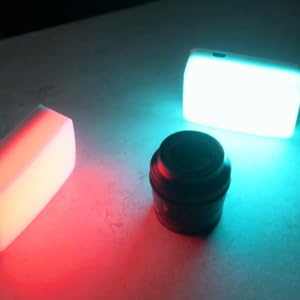
Image 3.1: Contents of the ULANZI VL120 RGB Video Light package.
4. Setup
Initial Charge: Before first use, fully charge the VL120 RGB Video Light using the provided Type-C cable. Connect the cable to the light's Type-C port and a compatible USB power source. The battery indicator on the display will show charging status.
Attach Cold Shoe Adapter: If mounting the light to a camera or tripod, screw the cold shoe adapter into the 1/4-inch screw hole on the bottom or side of the light.
Mounting: Slide the cold shoe adapter into your camera's hot shoe mount or a compatible cold shoe on a tripod or rig. Tighten the locking wheel on the adapter to secure the light.
Attach Diffuser: For softer light output, slide the soft diffuser onto the front of the LED panel.

Image 4.1: Various mounting options for the VL120 RGB Video Light.
5. Operation
The VL120 RGB Video Light features intuitive controls for adjusting light settings.
5.1 Power On/Off
Press and hold the power button (usually located on the side) to turn the light on or off.
5.2 Mode Selection
The light typically offers different modes: CCT (Correlated Color Temperature) mode, HSI (Hue, Saturation, Intensity) RGB mode, and Scene Effects mode. Use the mode button to cycle through these options.

Image 5.1: Display screen showing current light settings.
5.3 Brightness Adjustment (0-100%)
In any mode, use the adjustment dial or buttons to increase or decrease the brightness level from 0% to 100%.
5.4 Color Temperature Adjustment (2500K-9000K)
In CCT mode, adjust the color temperature from warm (2500K) to cool (9000K) using the dedicated dial or buttons.
5.5 RGB Color Adjustment (0-359°)
In HSI RGB mode, you can adjust the hue (0-359 degrees) to select any color in the spectrum. Saturation and intensity can also be fine-tuned.
5.6 Scene Light Effects
In Scene Effects mode, cycle through 20 pre-programmed lighting effects such as:
Lightning (Light1, Light2, Flash)
Candlelight
Screen
Breathe Effect
RGB Colorful Mode (Slow, Fast, Strobe)
Special Vehicle Mode (Police Vehicle, Ambulance, Fire Truck)
And more.

Image 5.2: Visual representation of brightness, color temperature, and RGB adjustments.

Image 5.3: Examples of the 20 available scene light effects.
6. Battery and Charging
The ULANZI VL120 RGB Video Light is equipped with a built-in 3100mAh lithium battery.
Battery Capacity: 3100mAh
Charging Time: Approximately 2.5 hours for a full charge.
Working Time: Up to 3 hours of continuous lighting, depending on brightness and mode settings.
Charging Method: Use the provided Type-C USB cable to charge the device.
Use While Charging: The light can be operated while it is connected to a power source and charging.

Image 6.1: Battery specifications and charging information.
7. Maintenance
Cleaning: Use a soft, dry cloth to clean the light's surface. Do not use harsh chemicals or abrasive materials.
Storage: Store the light in a cool, dry place away from direct sunlight and extreme temperatures.
Battery Care: For optimal battery life, avoid fully discharging the battery frequently. If storing for an extended period, charge the battery to approximately 50-70%.
Avoid Water: This device is not waterproof. Keep it away from water and high humidity.
8. Troubleshooting
Light does not turn on after prolonged storage:
If the light has been discharged for an extended period, the battery may enter a deep sleep state. To reactivate, charge the device for 2-4 hours. This process helps recover the battery.
Light output is dim or inconsistent:
Check the battery level and recharge if necessary. Ensure the brightness setting is not at its lowest. If using the soft diffuser, remove it to check if it's affecting light output.
Controls are unresponsive:
Try turning the device off and then on again. If the issue persists, ensure the battery is adequately charged.
9. Specifications
Model | VL120 |
LED Beads | 120 (84 Bi-color, 36 RGB) |
Brightness | Max 1250 LUX (0.3m) |
Color Temperature | 2500K - 9000K |
CRI | ≥95 |
Battery Capacity | 3100mAh Lithium-Ion |
Battery Life | Up to 3 hours (continuous) |
Charging Port | USB Type-C |
Product Dimensions | 3.94"L x 3.94"W x 3.15"H (approx.) |
Item Weight | 4.2 ounces |


 30% OFF